Translate Page to Indonesia OR
Arabic Korean Japanese Chinese Simplified Russian Portuguese English French German Spain Italian Dutch
Tampilkan postingan dengan label antivirus. Tampilkan semua postingan

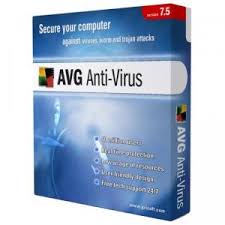
AVG ANTI-VIRUS 2011 (TRIAL VERSION)

Ultimate protection for everything you do online
AVG Internet Security provides multiple layers of protection for everything you do online, which means you don’t have to worry about identity theft, viruses, or visiting harmful sites.
AVG Protective Cloud Technology and AVG Community Protection Network are included, meaning we collect the latest threat information and share it with our community to make sure you receive the best protection.
  • Shop and bank online safely with AVG Firewall, AVG Anti-Spam & AVG Identity Protection™
  • Stay safe on social networks with AVG Social Networking Protection - NEW!
  • Surf and search with confidence with AVG LinkScanner’s® real-time protection

5 REASONS TO CHOOSE AVG
  1. Over 110 million people trust our people power protections.
  2. We’re rated #1 in threat detection by independent antivirus testing labs.*
  3. Our software is easy to install and use.
  4. Our 30-day money back guarantee means your purchase is risk free.
  5. Free technical support and updates to latest versions throughout your subscription term.

download offline version (32bit) - 140MB (trial 30 day)
download offline version (64bit) - 159MB (trial 30 day)


AntiVir Personal 10.0.0.607

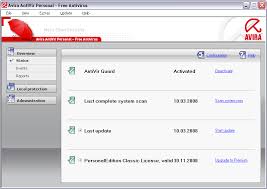
Avira AntiVir Personal - FREE Antivirus is a reliable free antivirus solution, that constantly and rapidly scans your computer for malicious programs such as viruses, Trojans, backdoor programs, hoaxes, worms, dialers etc. Monitors every action executed by the user or the operating system and reacts promptly when a malicious program is detected.
  • Detects and removes more than 150,000 viruses
  • Always among the winners of comparison test featured in computer journals
  • The resident Virus Guard serves to monitor file movements automatically, e.g. downloading of data from the internet
  • Scanning and repair of macro viruses
  • Protection against previously unknown macro viruses
  • Protection against trojans, worms, backdoors, jokes and other harmful programs
  • AntiVir protection against viruses, worms and Trojans
  • AntiDialer protection against expensive dialers
  • AntiRootkit protection against hidden rootkits
  • AntiPhishing protection against phishing
  • AntiSpyware protection against spyware and adware
  • NetbookSupport for laptops with low resolution
  • QuickRemoval eliminates viruses at the push of a button
  • Easy operation
  • Internet-Update Wizard for easy updating
  • Protection against previously unknown boot record viruses and master boot record viruses

Download - 56.07MB (free edition)


kaspersky internet security 2011


Key Features and Benefits

Kaspersky Internet Security 2011 stops your PC or Netbook being slowed down by cybercriminals and delivers unsurpassed on-line safety whilst protecting your files, music and photos from hackers:
  • Real-time proactive protection against all Internet threats Improved!
    Prevents all types of known and unknown malware from infecting your computer.
  • New Safe Surf feature for unparalleled online security New! 
    With Safe Surf you’ll never be exposed to harmful or offensive websites. Regular database updates from Kaspersky Lab means that Safe Surf will automatically block undesirable websites as they appear. Just switch it on.
  • Protection for your digital identity at all times Improved! 
    Smart anti-phishing protection and Virtual Keyboard keep your digital identity absolutely secure when you are shopping, banking or social networking online.
  • Feature-rich and effective Parental Control Improved! 
    The product’s advanced Parental Control features can block, limit and log applications and web access, so your children stay safe online.
  • Application Control prevents dangerous software from harming your system Improved! 
    Each program is granted rights and access to system resources based on an automated risk-assessment using Kaspersky Lab’s in-the-cloud security database.
  • System Watcher technology New! 
    Cutting-edge System Watcher technology monitors and analyzes every system event to accurately detect any dangerous behavior. If a threat occurs, the user will be prompted to roll back any malicious program activity.
  • Unique Safe Run mode for apps & websites Improved! 
    Safe Run mode lets you run suspicious applications and websites in a specially isolated environment where they cannot damage your system.
  • Special tools to treat even the most complex infections Improved!
    The installation CD can also be used as a bootable rescue disk to help you to restore your system should you ever need to. If you’ve downloaded your Kaspersky Lab product you can create your own Rescue CD using the program.
  • Easy-Access Desktop gadget New! 
    Checking your PC’s protection status and quickly accessing your preferred security features and settings has never been easier!


McAfee AVERT Stinger

McAfee AVERT Stinger is a stand-alone utility used to detect and remove specific viruses. It is not a substitute for full anti-virus protection, but rather a tool to assist administrators and users when dealing with an infected system. It utilizes McAfee scan engine technology, including process scanning, digitally signed DAT files, and scan performance optimizations. It detects more than 40 viruses, trojans and variants. The interface is simple and straightforward, just select the drive or folders to scan and click a button.


Comodo Internet Security

Comodo Internet Security (formerly Comodo Firewall) combines Comodo AntiVirus with a personal firewall that filters ingoing and outgoing traffic on your computer. It alerts you of any applications that attempts to connect to the Internet and allows you to permanently or temporarily allow or block the connection. Advanced users can customize the application and TCP/IP rules based on IP address, protocol and destination port, however this is not required unless you have a reason to customize the rules.


PC Tools Firewall Plus

PC Tools Firewall Plus is a personal firewall that monitors incoming and outgoing traffic on your computer and allows to to create rules to limit and control network connections. The program includes an application level firewall as well as a rule based TCP/IP firewall. The default settings of the firewall will prevent several common attacks while allowing normal internet traffic.


Dr.Web CureIt

Dr.Web CureIt is a standalone anti-virus and anti-spyware scanner that scans your PC for viruses, trojans, adware, spyware, hack tools, rootkits, and other malware. The program does not require an installation and can be run from a USB drive. This is an on-demand scanner only, it can detect and remove virus infections but does not provide any real-time protection. Dr.Web CureIt is based on the ICSA certified Dr.


Norman Malware Cleaner 2010 (latest)

Norman Malware Cleaner is a standalone virus and malware removal tool that can detect and remove specific malicious software (malware) from your PC. The program does not require installation and does not provide proactive protection from future infections. It is designed to clean a computer that has already been infected.


McAfee AVERT Stinger 10.0.1.688


Size:
4.97MB

Publisher:

Release Date:
2009-11-24

Submit Date:
2009-11-24

OS:
Win 9x/ME/NT/2K/XP/2K3/Vista
McAfee AVERT Stinger is a stand-alone utility used to detect and remove specific viruses. It is not a substitute for full anti-virus protection, but rather a tool to assist administrators and users when dealing with an infected system. Stinger utilizes next generation scan engine technology, including process scanning, digitally signed DAT files, and scan performance optimizations.

Windows ME/XP/Vista users:

Disabling System Restore
Windows utilizes a restore utility that backs up selected files automatically to the C:_Restore folder. This means that an infected file could be stored there as a backup file, and VirusScan will be unable to delete these files. You must disable the System Restore Utility to remove the infected files from the C:_Restore folder.


avast! 4 Home Edition 4.8.1368


Size:
39.90MB


Release Date:
2009-11-27

Submit Date:
2009-11-27

OS:
Win 9x/ME/NT/2K/XP/Vista

avast! 4 Home Edition is a free complete ICSA certified antivirus software for home noncommercial use. avast! obtained VB100% awards in 2002/4 Virus Bulletin comparative reviews under Windows.

avast! Home Edition includes the following components:

* On Demand Scanner - with Skinnable Simple Interface - just select what do you want to scan in which way and press the Play button.
* On Access Scanner - resident scanning of all files being opened, read and written and behavior blocker monitoring dangerous actions of viruses.
* E-mail scanner easily integrates with most mail clients and it checks both incoming and outgoing mails, it provides heuristic analysis of mail content to protect against new Worms.
* Network Shield - scans traffic for malicious content - lightweight Firewall.
* Resident protection for IM programs (e.g. MSN Messenger, ICQ) and P2P programs (e.g. Kazaa, DirectConnect).
* Boot Time Scanner - scans disks in the same way and in the same time as Windows CHKDSK does (on NT/2000/XP only).
* Explorer Scanner - right click on the object allows you to scan it.
* Screen Saver Scanner - scans PC during your coffee breaks.
* Virus Chest - safety isolated folder to store infected, suspicious and even some system files - to restore them.

True incremental updates of size under 100 KB are available at least twice a week and within couple of hours in the case of emergency of new virus. avast! automatically checks for new updates - downloads, installs and loads them without restart or logoff. Program upgrades are available time to time, they are incremental too (about 300 KB).

avast! 4 Home is available in English, French, German, Italian, Japaneese, Polish, Portuguese, Russian, Spanish and other languages - check http://www.avast.com/eng/down_home.html to download avast! in your language.
You will download a 60 days fully functional demo. You will obtain the FREE license key by E-mail after the registration at http://www.avast.com/i_kat_207.php?lang=ENG.


Malwarebytes Anti-Malware 1.44

Click for Screen Shot!
Size:
4.88MB


Release Date:
2010-01-08

Submit Date:
2010-01-08

OS:
Windows 2000/XP/Vista/7

Malwarebytes´ Anti-Malware is an easy-to-use, simple, and effective anti-malware application. Malwarebytes´ Anti-Malware can detect and remove malware that even the most well known anti-virus and anti-malware applications fail to detect.

Features:

* Support for Windows 2000, XP, Vista, and 7 (32-bit and 64-bit).
* Light speed quick scanning.
* Ability to perform full scans for all drives.
* Malwarebytes´ Anti-Malware Protection Module. (requires registration)
* Database updates released daily.
* Quarantine to hold threats and restore them at your convenience.
* Ignore list for both the scanner and Protection Module.
* Settings to enhance your Malwarebytes´ Anti-Malware performance.
* A small list of extra utilities to help remove malware manually.
* Multi-lingual support.
* Works together with other anti-malware utilities.
* Command line support for quick scanning.
* Context menu integration to scan files on demand.

Note from FreewareFiles: The free version does not include realtime protection, scheduled scanning, and scheduled updating.

What´s New in version 1.44:

* (FIXED) Minor issue with /runupdate displaying dialogs on errors.
* (FIXED) Saving bug report to initial directory failed silently.
* (FIXED) Issue with protection module not starting on Windows 2000.
* (FIXED) Censored license key on About tab.
* (FIXED) Protection module leaking memory on certain machine configurations.
* (ADDED) New command line parameter: /errorsilent (see help file).


Avira AntiVir Personal - Free Antivirus 9.0.0.418

Freeware antivirus that provides effective protection against computer viruses


AntiVir Personal Edition is a software that helps you protect and monitor your PC.


AntiVir software is a reliable free antivirus solution, that constantly and rapidly scans your computer for malicious programs (such as viruses, Trojans, backdoor programs, hoaxes, worms, dialers etc.), monitoring every action executed by the user or by the operating system and being able to react promptly when a malicious program is detected.


Protects your computer against dangerous viruses, worms, Trojans and costly dialers.


Avira AntiVir Personal gives you the following functions:
· Control Center for monitoring, administering and controlling the entire program
· Central configuration with user-friendly standard and advanced options and context-sensitive help
· Scanner (On-Demand Scan) with profile-controlled and configurable search for all known types of virus and malware
· Integration into the Windows Vista User Account Control allows you to carry out tasks requiring administrator rights
· Guard (On-Access Scan) for continuous monitoring of all file access attempts
· Integrated quarantine management to isolate and process suspicious files
· Rootkit protection for detecting hidden malware installed in your computer system (rootkits) (Only for 32-bit systems)
· Direct access to detailed information on the detected viruses and malware via the Internet
· Simple and quick updates to the program, virus definitions, and search engine through Single File Update and incremental VDF updates via a webserver on the Internet
· Integrated Scheduler to plan one-off or recurring tasks, such as updates or test runs
· Very high rates of virus and malware detection using innovative search technologies (search engines) and heuristic search processes
· Detection of all common archive types, including detection of nested archives and smart extensions
· High-performance multithreading function (simultaneous high-speed scanning of multiple files)


NOTE:
Avira AntiVir Personal is free for personal use only. A license key can be downloaded from here.
Here are some key features of "Avira AntiVir Personal - Free Antivirus":


· Protection against viruses, worms and Trojans
· Protection against expensive dialers
· Detects and deletes rootkits
· Raised scan speed
· Redesigned visual appearance


Requirements:


· At least 100 MB of free hard disk memory space (more if using Quarantine for temporary storage)
· At least 192 MB RAM under Windows 2000/XP
· At least 512 MB RAM under Windows Vista
· For installation: Administrator rights
· For all installations: Windows Internet Explorer 6.0 or higher


Limitations:


· Not for Commercial or Business use
What's New in This Release: [ read full changelog ]


· Quarantine manager: the number of columns has been reduced
· Quarantine manager: send files using HTTP
· System tray tool: display the status of modules on mouse-over
· Last system scan: individual configuration of the alert message
· Renaming "Win32 Heuristic" to "AHeAD" in the configuration panel
· Support for netbooks (screen resolution)
· Configuration panel: new button "Default Values". This button allows you to restore the configuration to the predefined default values
· New installation folder and registry keys for all products: "C:Program FilesAviraAntiVir Desktop" and "HKLMSoftwareAviraAntiVir Desktop".Now there are no differences between the products AntiVir Personal, AntiVir Premium and Premium Security Suite any longer
· Configuration wizard after setup
· Process protection for GUI processes
· File and folder protection for AntiVir files and folders
· Registry protection for AntiVir keys
· Scanning of locked files
· Scanner: combined display of malware detections and one-click removal...


Firefox 3.6 RC1 / 3.5.7 / 3.0.17 / 2.0.0.20 (7.7MB)

The browser provides virus, popup and spyware protection in a simple, easy to use tabbed interface


The Firefox project (formerly Firebird, which was formerly Phoenix) is a redesign of Mozilla's browser component, written using the XUL user interface language and designed to be cross-platform.


Firefox is a small, fast and very easy to use browser that offers many advantages over other web browsers, such as the ability to block pop-up windows and the tabbed browsing.
Here are some key features of "Firefox":


· Comprehensive popup controls to keep unwanted advertising off your desktop;
· A tab browsing mode that lets you open several pages in a single window, allowing you to load links in the background without leaving the page you're on;
· Integrated search (powered by Google);
· Industry leading accessibility with Find As You Type - find links and page text by simply typing;
· Simplified privacy controls that let you cover your tracks more effectively;
· A streamlined browser window that lets you see more of the page than any other browser while at the same time being more configurable;
· A large variety of free downloadable extensions and themes that add specific functionality and visual changes to the browser.


Requirements:


· Pentium 233 MHz (Recommended: Pentium 500MHz or greater)
· 64 MB RAM (Recommended: 128 MB RAM or greater)
· 52 MB hard drive space


What's New in This Release: [ read full changelog ]


· Firefox 3.6 Beta is built on Mozilla's Gecko 1.9.2 web rendering platform, which has been under development for several months and contains many improvements for web developers, Add-on developers and users. This version is also faster and more responsive than previous versions, and has been optimized to run on small device operating systems such as Windows CE and Maemo.
· (NEW) Changes to how we allow third party software to integrate with Firefox in order to prevent crashes.
· (NEW) The ability to run scripts asynchronously to speed up page load times.
· More than 80 bug fixes from the last beta to improve performance, stability, security and features.
· This beta is available in more than 60 languages - get your local version.
· Users can now change their browser's appearance with a single click, with built in support for Personas.
· Firefox 3.6 will alert users about out of date plugins to keep them safe.


Kaspersky Virus Removal Tool 2010 9.0.0.722 [09.01.2010]


Another virus scanner and detection software from Kaspersky.

The Kaspersky Virus Removal Tool application was designed to be another virus scanner and detection software from Kaspersky. The produst will scan the specified locations for any virus threats and remove them or send to Quarantine folder.


Size:92.30 MB
Platform:Windows XP / Vista / 7
License:Trial
Rating:Fair (2.2/5)


Blue Atom Antivirus 2010 Hybrid System description

Protect, Remove, and Repair from virus with this software

Blue Atom Antivirus is a small program that will protect your computer from viruses.

Blue Atom Antivirus Hybrid System new in Scan Engine and new in Interface. Blue Atom Antivirus has 4 databases. Blue Atom Antivirus is "easy to use". It has protector flash disk from virus.

Blue Atom Antivirus has a special scanner engine, so Blue Atom Antivirus can scan your PC quickly.
Requirements:

· Ram minimum 128 MB, Recommended 256 MB
· Hard disk minimum 40 MB
· Great resolution: 1280x1024

What's New in This Release: [ read full changelog ]

· System Core: Repair scanning(Fix on database reading)
· System Core: New mode "Free RAM"
· System Core: Speed up RTP engine
· System Core: Speed up reading database & allocation memory
· System Core: New "Update Notification"(semi-hidden process)


AVG Free Edition 9.0 Build 716a1803

It’s always been our philosophy at AVG that everyone has the right to basic computer security at no charge. And our 80 million users think we’re doing a pretty good job. So if you’re planning to spend time online and you regularly exchange files with friends, check us out.

- Surf, and search with confidence, while LinkScanner keeps you safe from harmful sites
- Get online and offline protection from viruses, spyware, and other nasties
- Enjoy consistently high-speed PC performance with our new enhanced virus scanner
- Automatic updates keep your protection current
- Compatible with Windows XP, Vista, and Windows 7

NOTE:
AVG Anti-Virus Free Edition may only be used on one computer for personal use.
Here are some key features of "AVG Free Edition":

· Surfing and searching the web and in your social networks
LinkScanner Active Surf-Shield:
· Ensures every web page you visit is safe – even before you go there.

LinkScanner Search-Shield:
· Applies safety ratings to your Google, MSN and Yahoo search results.

Phishing Protection:
· Checks to make sure web pages really are what they appear to be.

· Emailing, Instant Messaging and downloading music and files
E-mail Scanner:
· Keeps you safe from dangerous attachments and links in your e-mail.

· Whether you’re online or offline
Anti-Virus:
· Makes sure you can’t get or spread a virus, worm, or Trojan horse.

Anti-Spyware:
· Prevents unauthorized information access by spyware and adware.

Basic Anti-Rootkit protection:
· Ensures basic protection against sophisticated hidden threats.

Update Manager:
· Makes sure you’re always safe from the latest threats – automatically.

Requirements:

· Intel Pentium 1.8 GHz processor or faster
· 550 MB free hard drive space (for installation)
· 512 MB RAM

What's New in This Release: [ read full changelog ]

· Anti-Spam: Changed Anti-Spam configuration for detection enhancement.
· Anti-Spam: Fixed problem with Anti-Spam rules update.
· AvgSys: Fixed problem with removing of registry infection on x64 Windows systems.
· Core: Detection of the next modification of Virut has been added.
· Core: Detection of new modification of SWIZZOR has been added.
· Core: Fixed problem with reporting broken digital signature on correctly signed files.
· Core: Fixed possible crash while verifying digital signatures on big files.
· Core: Fixed occasional false alarms on JavaScript files.
· EMS Exchange: Fixed handling of detections in MS Exchange 2007 plug-ins.
· Firewall: Improved AVG Firewall standalone profile configuration import from version 8.5 to AVG 9.0.
· Firewall: Fixed problem with Firewall reporting a driver communication error when rules for detached USB drives were used.
· Firewall: Fixed problem with Firewall error state after TrustedDB update.
· Kernel: Cookie detection has been disabled by default in com...


Kelebihan Smadav 2009 Rev 7.5 [ChangeLog]


Pada Rev. 7 kali ini Smadav telah disempurnakan untuk menjadi jauh lebih cepat dan lebih ringan dalam mendeteksi dan mengamankan komputer Anda dari ancaman virus di Indonesia. Fitur-fitur baru yang ditambahkan seperti Smad-Turbo (Scanning 10x lebih cepat), Smad-Theme (Mengganti warna tema), Smad-Ray (Otomatis scan flashdisk sangat cepat). Ini semua membuat Smadav menjadi salah satu dari antivirus tercepat dan paling ringan sedunia, sehingga Smadav tetap dapat digunakan pada komputer-komputer dengan spesifikasi rendah sekalipun.
smadavPada Rev. 7 ini Smadav juga menambahkan database pengenalan virus-virus baru yang banyak menyebar di Indonesia. Perkembangan virus lokal saat ini semakin berkurang dan tidak seaktif bulan-bulan sebelumnya. Mungkin ini karena Smadav yang sudah banyak digunakan pengguna-pengguna komputer di Indonesia. Jadi, virus lokal di Indonesia sekarang tinggal sedikit lagi untuk menuju kepunahan.
Selain itu juga banyak perbaikan yang dilakukan pada tampilan Smadav secara keseluruhan agar Smadav semakin mudah dan praktis digunakan. Berikut ini adalah penjelasan lengkap fitur-fitur baru di Smadav 2009 Rev 7 :

Smad-Turbo (Scanning 10x lebih cepat)

Smad-Turbo adalah salah satu fitur scanning antivirus tercepat di dunia yang hanya dimiliki Smadav Pro. Jika dengan Smadav Free Anda memerlukan waktu 20 menit untuk scanning seluruh isi file komputer, dengan menggunakan fitur ini Anda hanya perlu waktu kira-kira 1-2 menit untuk melakukan scanning seluruh isi file di komputer Anda. Jadi, Scanning Smadav Pro 10x lebih cepat daripada Smadav Free dengan menggunakan Smad-Turbo ini.
Smad-Theme (Mengganti warna tema)
Smadav Pro mempunyai kemampuan untuk mengganti warna tema Smadav yang awalnya berwarna hijau menjadi warna pilihan Anda. Di bagian setting warna tema Anda dapat menemukan warna pilihan Anda sendiri untuk menjadi tema Smadav. Setelah Anda ganti tema warnanya, warna semua tampilan Smadav akan otomatis berubah menjadi warna pilihan Anda.

Smad-Ray (Otomatis scan flashdisk sangat cepat)

Setelah flash-disk dicolok di komputer, Smadav akan langsung memunculkan hasil scan dalam bentuk notifikasi apakah flashdisk Anda terinfeksi virus atau tidak, prosesnya sangat cepat hanya sekitar 1-5 detik sehingga Anda tidak perlu lagi berlama-lama menunggu hasil scanning flashdisk yang baru dicolok.
Perbaikan tampilan Smadav
Tampilan Smadav yang lama dianggap pengguna masih terlalu besar dan tidak cocok untuk sebagian pengguna di Mini Laptop/Netbook. Pada Rev. 7 kali ini tampilan Smadav sudah berukuran lebih kecil dan Smadav sudah bisa menyesuaikan ukurannya menjadi mini ketika dipakai di Netbook.
Perbandingan Smadav Free & Pro
Pada bagian tab donation sekarang sudah ditambahkan tabel perbandingan Smadav Free & Pro. Anda dapat mengklik baris-baris pada tabel ini untuk mengetahui kelebihan-kelebihan Smadav Pro dibandingkan Smadav Free.
Penyempurnaan Smadav 2009 Rev. 7.1
  • Penambahan database virus baru
  • AutoUpdate untuk Smadav Pro di Vista & Win7
  • Perbaikan Bug Scan with Smadav
  • Loading Quarantine lebih cepat
  • Mengirim statistik ke server Smadav
  • Bug pada pembersihan virus fusion
Penyempurnaan Smadav 2009 Rev. 7.2
  • Penambahan fitur Exception di Tools 1-Virus By-User
  • Penambahan banyak database virus baru
  • Perbaikan koneksi program Smadav dengan server Smadav.net
  • Perbaikan proteksi registration key anti pembajakan
Penyempurnaan Smadav 2009 Rev. 7.3
  • Pembersihan tuntas untuk beberapa virus baru
  • Penambahan kecerdasan (heuristic) pendeteksi virus Smadav
  • Perbaikan metode update Smadav
  • Penggantian server utama Smadav.net
  • Perbaikan salah deteksi pada beberapa program
Penyempurnaan Smadav 2009 Rev. 7.4
  • Smad-Behavior (Beta), fitur baru SmaRTP untuk proteksi komputer berdasarkan tingkah laku program
  • Pembersihan tuntas untuk 55 virus lokal baru
  • Penyempurnaan pembersih virus Smadav menjadi lebih cepat
  • Penambahan tombol “More” di scanner
  • Pengubahan nama folder “Smad-Lock” menjadi “Smad-Lock (Brankas Smadav)”
  • Pengiriman statistik ke server Smadav.net, untuk mencegah pembajakan Smadav Pro
  • Penambahan fungsi explore pada karantina
  • Perbaikan bug pada dialog saat pemilihan file di 1 virus by user
Penyempurnaan Smadav 2009 Rev. 7.5
  • Penambahan database 103 virus lokal baru
  • Penyempurnaan Smad-Behavior untuk menghindari False Positive
  • Penambahan beberapa teknik heuristic baru
  • Perbaikan bug yang menyebabkan Smadav hang pada saat scanning file tertentu
  • Penyempurnaan proteksi dan blacklist untuk penggunaan Smadav Pro bajakan
  • Perbaikan bug otomatis refresh pada tampilan tree-directory
Download langsung Smadav Rev 7.5, klik image Download di bawah
Download Free Antivirus Smadav Rev 7.5


Norton AntiVirus 2010 (60 DAY FULL VERSION) defends your PC against detected viruses, spyware, bots, worms, and more while minimising the performance impact or getting in your way.
The improved Norton Protection System features multi-layered protection technologies that work together to proactively block attacks and detect and remove threats before they can harm your PC.
Pulse Updates every 5 to 15 minutes and real-time online security checks help ensure continuous, up-to-the-minute protection against the latest threats.
New SONAR 2 (Symantec Online Network for Advanced Response) technology monitors your PC for suspicious behavior to help detect and eliminate the latest breaking threats.
Intrusion Protection defends your PC from web-based attacks so you can surf with confidence. And new Vulnerability Protection blocks security holes in your PC’s operating system, applications, browsers, and browser plug-ins to prevent hackers from exploiting them.
The new Norton Performance System ensures strong protection that won’t swallow up system resources and will minimise performance impact. Norton AntiVirus offers the fastest install time, the fastest boot time and the lowest memory requirements of any antivirus and antispyware solution. 1 Norton Insight technology identifies and targets only files at risk, for less frequent, shorter scans and the fastest scan speeds in the industry. 1
In addition to usual anti-virus protection, Norton AntiVirus provides easy-to-understand threat and performance information to help you prevent future infections and keep your PC running fast.
Plus, only Norton AntiVirus is backed by Symantec Security Response, which provides comprehensive, global, Internet security expertise to guard against today's complex threats.